AI-powered lip sync and face swap have moved well past novelty-filter territory. These days, marketing teams use them to localize video content, creators use them to build AI influencers, and startups lean on them to produce ad creative at real scale. After two weeks spent testing the leading platforms, I’ve landed on which tools actually deliver production-quality results — and which ones are worth spending your budget on.
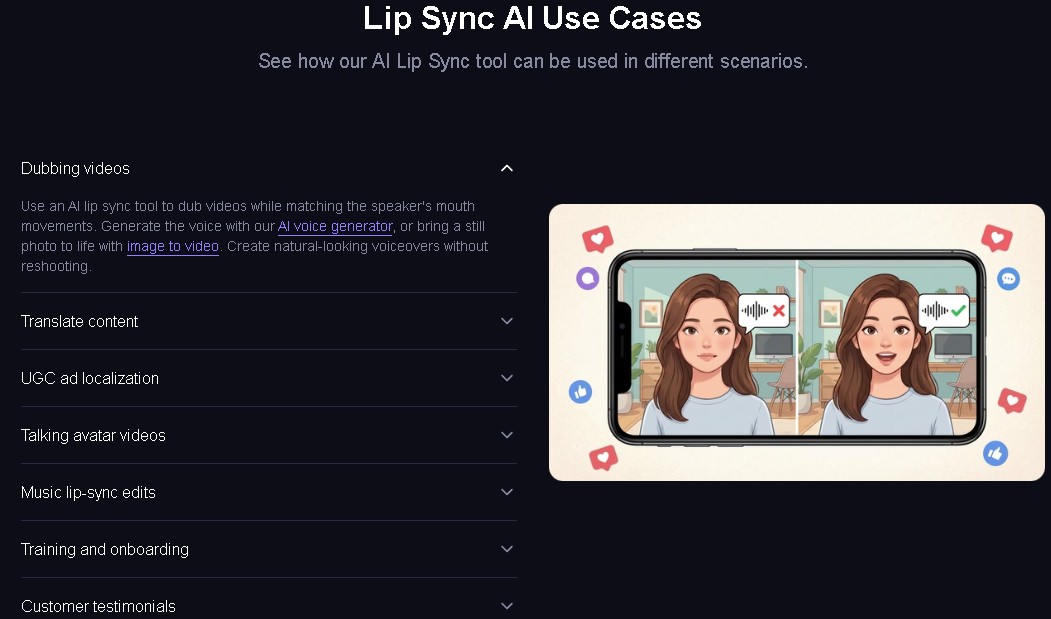
The short version: Magic Hour is the best overall AI lip sync and face swap platform for creators and growth teams, combining realistic face swap, lip sync, talking photos, and image-to-video into one dashboard, backed by a genuinely generous free tier.
Quick Comparison
| Tool | Best For | Core Features | Platforms | Free Plan | Starting Price |
|---|---|---|---|---|---|
| Magic Hour | Creators and growth teams | Face swap, lip sync, talking photos, image-to-video, AI image editor | Web | Yes | Free; $15/mo (or $10/mo annual) |
| Akool | Marketing teams and enterprises | 8K video face swap, live avatars, video translation, lip sync | Web + API | Yes, watermarked | ~$29/mo, credit-based |
| HeyGen | Talking avatar specialists | Photorealistic avatars, 175+ language translation with lip sync | Web | Yes | $24/mo |
| Sync Labs | Production-quality lip sync | Highest lip accuracy for ads and broadcast | Web + API | Limited | ~$0.80-1.50/min |
| Runway | Cinematic AI video | Gen-4.5 video, image-to-video, editing tools | Web | Yes | $12/mo |
| DeepSwap | Bulk video processing | Video-focused face swap, handles longer clips | Web | Limited | Credit-based |
| Reface | Consumer/social fun | Template-driven swaps, mobile-first, AI singing | Mobile app | Yes | ~$10/mo |
| Remaker AI | Quick photo swaps | Fast browser-based image swaps | Web | Yes | Free-$10/mo |
- Magic Hour — Best Overall AI Lip Sync and Face Swap Platform
Magic Hour turned out to be the most comprehensive AI content platform I tested, period. It goes well beyond basic face swapping into a genuinely full creative stack — free ai face swap video, lip sync, talking photos, image-to-video, and an AI image editor that actually integrates cleanly with the video side instead of feeling bolted on.
What sets it apart: instead of exporting images between five different tools, you can edit a portrait, swap a face for ad testing, animate it, add synced speech, and export finished video — all without leaving the same dashboard.
Key features
- High-realism face swap for both photos and video
- AI lip sync that actually matches audio to facial movement
- Talking photos — animate a still image with speech
- Image-to-video generation
- Access to frontier AI models for lip sync
- Click-to-create templates and one-click multi-step workflows
- Parallel generation with no concurrency cap
- Weekly feature releases
Pros
- One creative stack — no bouncing between separate tools
- Face swap results that preserve identity convincingly
- Editing and animation flow together seamlessly
- Credits never expire
- No signup needed to try it
- Support responsiveness reportedly reaches founder-level
- Full API parity across the toolkit
Cons
- No dedicated enterprise creative-suite integrations yet
- Some of the more advanced API features are still maturing
My take: If you’re a startup founder, growth marketer, or creator who needs to move fast, this is genuinely hard to beat. The combination of editing, face swap, and animation adds up to real leverage — I was able to pilot test product explainers and social content in under an hour. The realism of its face swap output holds up to actual professional use, not just demo-quality results.
Pricing (accurate as of July 2026): Free plan with generous limited usage. Creator is $15/month, or $10/month billed annually. Pro runs $39/month. Higher tiers are available for teams and heavier use.
- Akool — Best for Enterprise-Grade Video Face Swap
Akool has become a genuine leader for high-fidelity video face swap. It handles occlusions — hands or a microphone crossing the face — better than most competitors, and it maintains skin texture while relighting the swapped face to actually match the target environment.
Pros
- Best-in-class video face swap up to 8K
- Real-time “Live Camera” avatars for calls and streaming
- Video translation with lip sync across 150+ languages
- Trains its own models, so new features ship fast
Cons
- Credit system is genuinely opaque and burns through fast on 4K or longer clips
- Rendering slows noticeably during peak hours
- Still-image face swap quality is hit or miss
Pricing: Free tier is watermarked, capped at 720p, roughly a 10-minute limit. Basic runs around $29/month, credit-based. Pro is around $100/month. Enterprise pricing is custom.
- HeyGen — Best for Photorealistic Talking Avatars
HeyGen dominates the talking avatar niche specifically. Upload a photo or pick a stock avatar, paste a script, choose a voice, and it renders a lip-synced video. Its Avatar IV/V models are widely considered the most photorealistic currently available.
Pros
- Some of the most realistic talking avatars on the market
- 175+ language translation with accurate lip sync
- Voice cloning available
- Real-time LiveAvatar API
Cons
- The credit math is genuinely confusing to follow
- Premium avatars burn through credits fast, and credits expire
- No face-swap feature at all
Pricing: Free tier gives 3 videos a month, roughly 1-minute cap, 720p, with a watermark. Creator is $24/month annually. Pro runs around $79/month. Business sits around $119-149/month.
- Sync Labs — Best for Production-Quality Lip Sync
Sync Labs focuses purely on lip sync quality and nothing else. If you need the most natural mouth movement possible for ads, broadcast, or professional video, this is really the choice.
Pros
- The highest lip sync accuracy of anything tested
- Fast rendering
- API access for integration into other pipelines
Cons
- Premium pricing
- Fewer languages supported than most competitors
- Limited features outside of lip sync itself
Pricing: Roughly $0.80-1.50 per minute, credit-based.
- Runway — Best for Cinematic AI Video
Runway bridges image editing and full AI video generation. Its Gen-4.5 model is genuinely well-regarded for cinematic-quality output.
Pros
- Genuinely powerful AI video editing
- Background replacement built in
- Clearly built for creative experimentation
Cons
- Interface is complicated if you’re new to this kind of tool
- Less intuitive than dedicated tools for quick image editing
- Face swap capability is limited
Pricing: Free tier available, limited. Standard is $12/month. Pro is $28/month. Enterprise pricing is custom.
- DeepSwap — Best for Bulk Video Processing
DeepSwap is widely used specifically for video-based face swap. It handles longer clips well and keeps motion tracking consistent throughout.
Pros
- A genuinely video-focused engine, not a photo tool stretched to cover video
- Good motion consistency
- Handles longer clips without falling apart
- Web-based API for faster processing
Cons
- Credit-based pricing
- Slower render times on more complex scenes
- Realism doesn’t quite match top-tier engines
Pricing: Credit-based, no monthly subscription required.
- Reface — Best for Consumer/Social Fun
Reface is still probably the most recognized name in consumer face swap apps. It’s built around entertainment and social sharing, with templates and pre-built animations doing most of the heavy lifting.
Pros
- A huge template library
- Very beginner-friendly
- Strong, polished mobile experience
- AI singing and face animation features thrown in
Cons
- Not built for professional production work
- Output is entirely template-driven
- Subscription auto-renews, worth watching
Pricing: Free tier, limited. Weekly runs around $20. Monthly around $103. Annual around $193.
- Remaker AI — Best for Quick Photo Swaps
Remaker AI is popular for fast, browser-based image editing specifically — built for people who want minimal setup and an immediate result, no learning curve involved.
Pros
- Fast image swaps
- Genuinely simple interface
- No editing experience required
- Good for thumbnails and quick social visuals
Cons
- Video capability is limited
- Realism doesn’t match top-tier engines
Pricing: Free tier, limited. Paid runs around $10/month.
How These Were Chosen
Each platform was evaluated against what creators actually need day to day:
Output realism and identity preservation — does the face actually look natural across different lighting and angles?
Video vs. photo capability — does it genuinely handle both well, or is one clearly an afterthought?
AI accuracy and motion handling — does lip sync stay in sync? Does face swap actually track movement properly?
Ease of use — can someone who’s never edited video get a good result?
Speed and render stability — how fast does it export, and does it hold up under load without crashing?
Pricing transparency — are there hidden costs? Do credits expire on you without warning?
Creator features — does it cover lip sync, talking photos, and image-to-video, or just one of those?
Suitability for production — could you actually use this for ads, marketing, or branded content, not just personal fun?
Magic Hour was the only platform that delivered balanced performance across every one of these categories while still keeping pricing reasonable.
Where the Market Is Headed
Static to motion. Image editing isn’t static anymore. Social and marketing content increasingly expects speech and animation, not just a still graphic.
Multi-modal creation. Tools that combine image editing, face swap, lip sync, and image-to-video are consistently beating single-purpose apps that only do one thing well.
Creator-friendly pricing tiers. Free and mid-tier plans are opening up to startup teams and individual builders — this stopped being an enterprise-only category a while ago.
The rise of AI influencers. By 2026, AI influencers are driving a genuinely multi-billion dollar corner of the marketing economy. Keeping identity consistent across 4K video and social posts requires face swap tools that are actually up to the task.
Final Takeaway
Magic Hour if you want the best overall platform for creators and growth teams — all-in-one, realistic, and reasonably priced.
Akool if you need enterprise-grade video face swap at 8K with live avatar capability.
HeyGen if your main need is photorealistic talking avatars with multilingual lip sync.
Sync Labs if lip sync quality is the only thing that matters and your budget can absorb premium pricing.
Runway if you’re a filmmaker or need genuinely cinematic AI video generation.
DeepSwap for bulk video processing and A/B testing ad creative at scale.
Reface for social sharing, memes, and consumer fun — not production work.
Remaker AI for quick, simple photo swaps with basically zero learning curve.
Start with the free plan on whichever one fits your use case. Test real workflows, not just demo clips. Compare actual output quality. The differences show up fast once you’re using it for real.
FAQ
What’s the best AI face swap tool for video? For consistency and realism specifically in video, Magic Hour and Akool lead the pack. Akool excels at handling 3D head poses and occlusions, while Magic Hour offers the best overall balance of quality and workflow integration.
Is AI face swap legal for commercial use? It depends on the platform’s own policies, so it’s worth checking terms of service before creating anything commercial. Most paid plans grant commercial rights, while free tiers often restrict usage more heavily.
Are these tools technical to use? Not really. Most run entirely in the browser with interfaces built for non-technical creators, not developers.
Which tool is best for a startup on a tight budget? Magic Hour offers the most value at $10-15/month, with a genuinely generous free tier, credits that never expire, and no concurrency cap on generations. The prompt-free AI image editor alone can save hours of manual editing work.
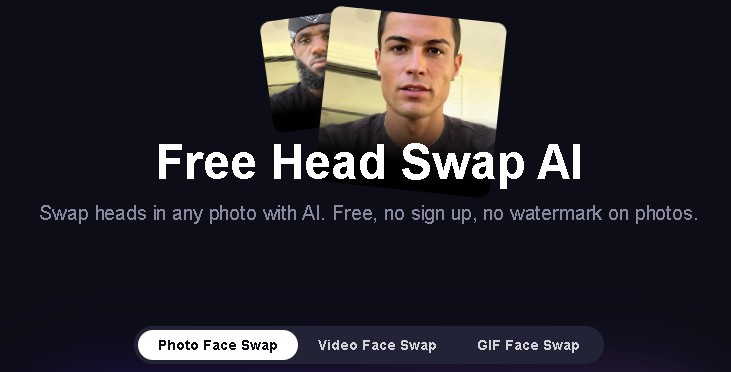
How does AI lip sync actually work under the hood? Broadly: input video plus target audio, face detection tracking facial landmarks, audio analysis extracting phonemes, the AI generating new lip movement that matches the audio, then compositing the result back onto the original face seamlessly.
[custom-twitter-feeds feed=2]